
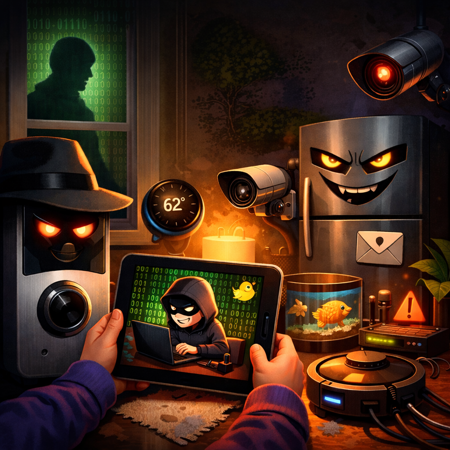
Just because your smart fridge can order milk and your thermostat knows when you’re chilly doesn’t mean your home network is safe from cyber shenanigans. In this episode, we’re roasting the myth that five-star Amazon reviews mean airtight security, dragging lazy VPN habits, and exposing how your toddler’s tablet might be the real Trojan horse in your living room. From forgotten firmware to doorbells that moonlight as spies, we’re pulling back the Wi-Fi curtain on all the ways your devices could be betraying you—with or without your permission.
In this episode:
But It Was Five Stars on Amazon – Ep 543
Today’s Episode is brought to you by:
Kardon
and
HIPAA for MSPs with Security First IT
Subscribe on Apple Podcast. Share us on Social Media. Rate us wherever you find the opportunity.
Great idea! Share Help Me With HIPAA with one person this week!
Learn about offerings from the Kardon Club
and HIPAA for MSPs!
Thanks to our donors. We appreciate your support!
If you would like to donate to the cause you can do that at HelpMeWithHIPAA.com
Like us and leave a review on our Facebook page: www.Facebook.com/HelpMeWithHIPAA
When you see a couple of numbers on the left side of the text below click that and go directly to that part of the audio. Get the best of both worlds from the show notes to the audio and back!
But It Was Five Stars on Amazon
[00:43]Homes have quietly turned into mini data centers – packed with smart TVs, cameras, routers, and other connected devices – but unlike real data centers, they have terrible (or nonexistent) security teams. People often assume consumer tech is “safe enough” simply because it’s popular, inexpensive, or has good reviews, but those factors have nothing to do with how well a device is secured or maintained over time. While tools like VPNs can help reduce exposure by limiting what’s visible on the internet, they don’t fix weak passwords, unpatched devices, or poorly secured IoT gear. They’re a layer of protection, not a cure for bad security.
The Security Myths Hiding in Plain Sight at Home
[06:21] Myth 1: If it’s sold on Amazon, it must be secure
Online marketplaces don’t test devices for security, privacy, or long-term support. They’re focused on sales, not safety. Just because a product is popular or highly rated doesn’t mean it was designed with security in mind or will receive updates after purchase. In fact, many consumer devices ship with weak default settings, outdated software, or hard-coded credentials, and some are never patched at all. Popularity may signal convenience or price, but it’s a poor indicator of whether a device can actually protect itself, or your data, over time.
[13:36] Myth 2: I set a password, so I’m protected
Setting a password feels like a solid security step, but it often provides far less protection than people expect. Many devices reuse default credentials across entire product lines, making them easy targets once those credentials are discovered. On top of that, weak passwords and password reuse are still extremely common, especially for home and IoT devices that are rarely monitored. Worse, some devices barely protect credentials at all, storing them insecurely or exposing them in ways users never see – turning “having a password” into a false sense of security rather than real protection.
[15:01] Myth 3: My IoT devices don’t store or transmit sensitive data
Many people assume their smart devices aren’t handling sensitive information, but that overlooks how valuable metadata really is. Always-on microphones, cameras, location information, and usage patterns can reveal habits, routines, and behaviors, even without recording “content” in the traditional sense. In practice, much of this data leaves the home for cloud processing, analytics, or vendor services, often in ways users don’t fully understand or control. You may not think your devices are sharing sensitive data, but the patterns they generate can be just as revealing as the data itself.
Myth 4: My home network is private because it’s my house
A home network may feel private, but most home Wi-Fi setups are flat and unsegmented, meaning everything connected can often see far more than it should. If just one device is compromised, it can become a foothold to observe traffic, probe other devices, or access shared resources without much resistance. While VPNs are often thought of as tools just for laptops on public Wi-Fi, they can also help protect traffic leaving the home by reducing external exposure, though they don’t replace the need for proper network design and device security inside the house.
[18:31] Myth 5: Hackers aren’t interested in my smart doorbell or thermostat
Attackers aren’t looking only for high-profile targets, they’re looking for low-effort, high-volume opportunities. Smart doorbells, thermostats, and other IoT devices are often attractive because they’re widely deployed, poorly secured, and rarely monitored. These devices are commonly used as entry points into home networks or quietly recruited into botnets for larger attacks. You don’t need to be “important” for an attacker to find value in your devices; you just need to be connected and easy to exploit.
[23:17] Myth 6: VPNs are only for work laptops, not home devices
Many people think of VPNs as something you turn on only to check work email or access an EHR, leaving the rest of their home traffic untouched. But all that other traffic (streaming, smart devices, browsing, and background app activity) can still leak information about behavior, habits, and network activity. When configured properly, VPNs can help protect data in transit across much more than just a single laptop, reducing exposure for large portions of the home network. They’re not a cure-all, but they’re far more relevant to home environments than most people realize.
[28:21] Myth 7: If something goes wrong, it’s just a tech problem, not a compliance issue
When IoT devices are connected to networks that also access regulated data, a technical failure can quickly become a compliance problem. A compromised home device can expose systems used for work, remote access, or cloud services tied to regulated information, triggering real reporting and remediation obligations. Regulations like HIPAA don’t care that a breach started with something trivial or unexpected, a smart fish tank is still an entry point if it leads to exposure of protected data. The impact is judged by what was affected, not how “serious” the device seemed at the start.
VPNs can play a meaningful role in improving home security when they’re used for what they’re actually good at. They help encrypt traffic leaving the home network, reduce outside visibility into browsing habits and device communications, and add a valuable layer of protection when IoT security is weak or nonexistent. In a home full of always-on devices that constantly “phone home,” that extra layer can significantly limit what outsiders can see or intercept.
At the same time, VPNs are not a silver bullet. They don’t secure the devices themselves, fix bad firmware, or make up for poor vendor security practices. A VPN won’t replace basic hygiene like patching devices, segmenting networks, or using common sense about what gets connected in the first place. The real takeaway is balance: VPNs are a helpful tool, but they work best as part of a broader, more realistic approach to home and remote-work security.
If this episode taught us anything, it’s that your smart toaster might be a double agent, your VPN could be a glorified placebo, and “set it and forget it” doesn’t apply to cybersecurity. Whether it’s IoT devices moonlighting for botnets or Wi-Fi networks looser than your uncle’s belt after Thanksgiving dinner, the takeaway is clear: segment your networks, check those reviews with suspicion, and maybe, just maybe, scan the grandkid’s tablet before it joins your digital circus.
Remember to follow us and share us on your favorite social media site. Rate us on your podcasting apps, we need your help to keep spreading the word. As always, send in your questions and ideas!
;HIPAA is not about compliance,
it’s about patient care.TM
Special thanks to our sponsors Security First IT and Kardon.


