
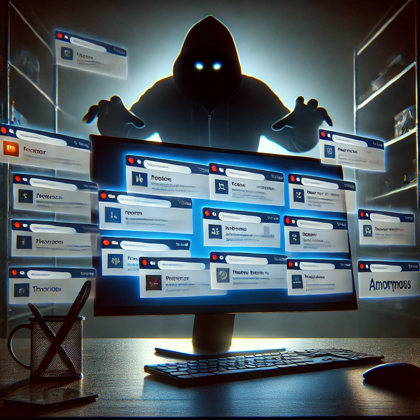
Leaving your web browser open with 25 tabs is the digital version of leaving your front door unlocked? Whether it’s for email, work docs, shopping, or watching cat videos, your browser is the gateway to, well, everything. But as much as we depend on them, so do hackers. From credential theft to sneaky phishing attacks, cybercriminals are finding clever ways to turn your favorite browser into a tool for their dirty work. Today, we’ll break down the wild world of browsers—how we rely on them, and how hackers are exploiting them while we casually leave 25 tabs open at once. Note to self: it’s time to update your browser (and maybe close a few tabs)!
In this episode:
Browsers & Breaches – Ep 479
Today’s Episode is brought to you by:
Kardon
and
HIPAA for MSPs with Security First IT
Subscribe on Apple Podcast. Share us on Social Media. Rate us wherever you find the opportunity.
Great idea! Share Help Me With HIPAA with one person this week!
Learn about offerings from the Kardon Club
and HIPAA for MSPs!
Thanks to our donors. We appreciate your support!
If you would like to donate to the cause you can do that at HelpMeWithHIPAA.com
Like us and leave a review on our Facebook page: www.Facebook.com/HelpMeWithHIPAA
If you see a couple of numbers on the left side you can click that and go directly to that part of the audio. Get the best of both worlds from the show notes to the audio and back!
Thanks to our donors.
HIPAA Briefs
[05:01]Cyberattacks plague health care. Critics call the federal response ‘inadequate’
Here are the key points about the impacts on Central Oregon Pathology Consultants (COPC) due to the cyberattack on Change Healthcare discussed in the article:
- Number of Claims Affected: COPC had about 20,000 outstanding claims as of July 2024, stuck in processing due to the ransomware attack.
- Downtime Costs: The organization operated for months without being paid, relying on cash reserves, and is still unable to estimate the full financial impact of the downtime.
- Payment Portal Issues: The patient payment portal remains down, preventing customers from settling their accounts, further exacerbating financial strain
The article highlights how ransomware attacks have increasingly targeted the healthcare sector, with 249 attacks in 2023 alone, the most in any industry. This includes the significant February 2024 cyberattack on Change Healthcare, which left parts of the healthcare system unable to bill for services, affecting hospitals, pharmacies, and therapists alike. Payment systems were crippled, with some practices operating for months without being paid.
Critics, including members of Congress, argue that the federal response has been insufficient. While the Department of Health and Human Services (HHS) has put out a strategy focused on hospitals, experts believe the scope needs to expand to cover the broader ecosystem, such as contractors and suppliers that support these health systems. The strategy, while a start, is still mostly voluntary and underfunded, and any meaningful impact might take years to materialize.
Browsers & Breaches
[16:46] A browser is basically your window to the internet! It’s like your car’s dashboard that helps you navigate the online world. Whether you’re checking emails, watching videos, or shopping for that 3 a.m. impulse buy, your browser is what connects you to all those websites. It interprets the code behind the scenes and turns it into what you see on your screen—kind of like translating a foreign language but way faster!Top 5 Browsers:
- Google Chrome: Dominates with its sleek design, speed, and compatibility across websites.
- Safari: Apple’s browser, known for energy efficiency and tight integration with its ecosystem.
- Microsoft Edge: The new kid with Chrome’s engine under the hood but with enterprise-focused features.
- Mozilla Firefox: Privacy-focused and highly customizable, Firefox remains a favorite for open-source enthusiasts.
- Opera: A lesser-known browser but with a unique built-in VPN and other privacy-focused tools.
Browser based attacks are everywhere
[25:24]Hackers are tapping a new technique to trick Chrome users into giving up their passwords
A new really tricky attack involves a Chrome feature called kiosk mode. The Chrome Kiosk Mode hack to trick users into giving up their Google passwords:
- Locking Chrome into Full-Screen Mode: Hackers deploy malware, such as StealC, which forces the Chrome browser into kiosk mode. This mode prevents users from minimizing or closing the browser, effectively trapping them in a full-screen environment.
- Disabling Escape Functions: In this mode, typical key functions like ESC or F11 are disabled, making it hard for users to exit the full-screen window. The only visible action is a Google login prompt.
- Frustration-Based Attack: This method relies on user frustration. Since they can’t escape the screen, users are pressured into entering their Google credentials into the fake login prompt in hopes of regaining control.
- Credential Harvesting: Once the user enters their credentials, the malware captures the login details from the browser’s credential storage and sends them to the attacker.
- Avoiding Detection: The malware doesn’t directly steal information but tricks the user into voluntarily giving up their credentials, making the attack more subtle and effective.
Mitigation:
- Users can try hotkey combinations like Alt + F4 or Ctrl + Shift + Esc to exit kiosk mode.
- If that fails, a forced shutdown or reboot into Safe Mode followed by a malware scan can help.
This attack highlights the dangers of browser vulnerabilities and the need to stay vigilant when unusual prompts appear.
Why Extensions Are a Big Deal
GA Tech announced a new study about how nosy browser extensions really are and it isn’t great.
Browser Extensions Compromise Privacy for Millions, Georgia Tech Study Finds – ScienceBlog.com
Extensions add functionality (like ad-blockers or password managers) but are double-edged swords. While they enhance browsing, they can also become major security risks. Browser extensions, as a recent Georgia Tech study highlighted, often have access to vast amounts of user data, and some compromise privacy or allow hackers a foothold to manipulate browsing activity (WWNO).
The danger is that these extensions often require access to sensitive data (think cookies, browsing history, etc.), which can then be misused, sold, or exposed in a hack. The Georgia Tech study found that over 3,000 browser extensions automatically collect user-specific data, with 200 extensions directly extracting sensitive information, such as emails, banking details, and social media profiles. This affects millions of users, often without their knowledge or consent. A key concern is the lack of transparency, as many extensions do not disclose their data collection practices in privacy policies or descriptions. The study suggests the need for stronger privacy controls and industry accountability.
Browser Security Concerns:
- Browser vulnerabilities: Attackers increasingly use browser flaws to infiltrate systems, as recently demonstrated by hackers targeting Google Chrome to trick users into giving up passwords (WCBU). This tactic, known as “malvertising,” involves malicious ads or fake updates that prompt users to install harmful software.
- Tracking and Data Privacy: Even without attacks, browsers (particularly Chrome) collect large amounts of data, which has led to ongoing concerns about privacy breaches.
- Security Recommendations:
- Regularly update your browser and extensions.
- Limit the number of extensions installed, using only those from trusted developers.
- Use browsers that prioritize security, like Firefox or Brave, and enable features like sandboxing and two-factor authentication for extra protection.
Enterprise Browsers
[39:35] Enterprise browsers are specialized web browsers designed with enhanced security, control, and productivity features specifically for businesses. Unlike consumer browsers, which prioritize speed and general usability, enterprise browsers focus on securing sensitive corporate data and streamlining workflows in business environments.Here’s a simple breakdown of key features of enterprise browsers:
- Enhanced Security: They include built-in protections against malware, phishing attacks, and data breaches. Companies can enforce strict security protocols, such as blocking untrusted sites or disabling certain functions like downloading or copy-pasting sensitive information.
- Centralized Management: IT administrators can control browser settings across the organization from a central dashboard. This allows them to enforce policies, push updates, and manage user access to specific sites or applications.
- Seamless Integration: Enterprise browsers are often optimized to integrate with other company tools, like single sign-on (SSO), identity management systems, and custom business applications.
- Monitoring and Compliance: They offer features for tracking user behavior, ensuring compliance with regulatory requirements like HIPAA or GDPR, and providing detailed audit logs in case of security incidents.
Examples of enterprise browsers include Island and Edge for Business, which cater to companies that need more control and visibility over their web-based operations while protecting against cyber threats.
These browsers are crucial for companies that rely heavily on web applications for their daily operations but need robust security measures in place to safeguard sensitive information.
So, there you have it—your browser can be both your best friend and your worst enemy. From hackers locking you into “kiosk mode” to extensions quietly stealing your data, the threats are real, folks! But here’s the kicker: none of this even touches on the tracking technologies that have been causing a stir in healthcare since the OCR dropped their original guidance. Yep, there’s a whole other level of concern when it comes to web tracking and protecting sensitive information. Donna and David have barely scratched the surface today, but one thing’s for sure—whether you’re browsing for business or binge-watching, it’s time to lock down those browsers and stay alert!
Remember to follow us and share us on your favorite social media site. Rate us on your podcasting apps, we need your help to keep spreading the word. As always, send in your questions and ideas!
HIPAA is not about compliance,
it’s about patient care.TM
Special thanks to our sponsors Security First IT and Kardon.


